Create a Share Link
Share links let people outside MediaBench view your media with no account and no login. They are view-only and time-limited by default, so you stay in control of who sees what and for how long.
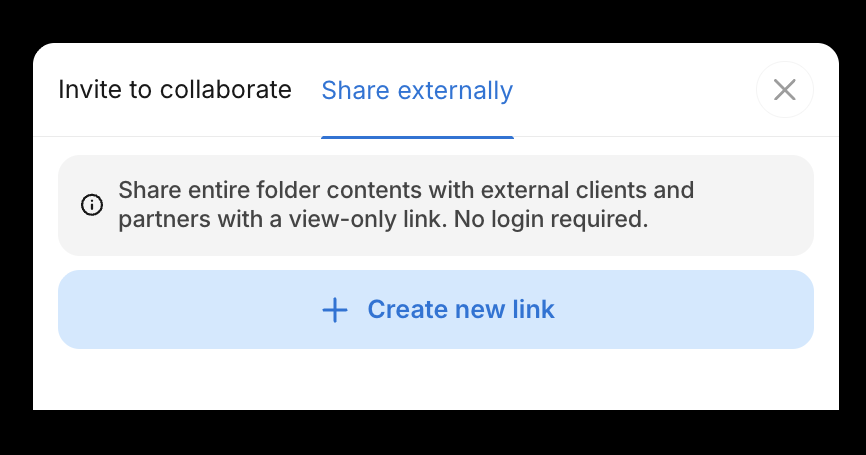
Create a link
- Select Share in the menu bar of your folder or asset
- Open the Share externally tab
- Click Create new link
Once your link is ready, use the controls on the link card:
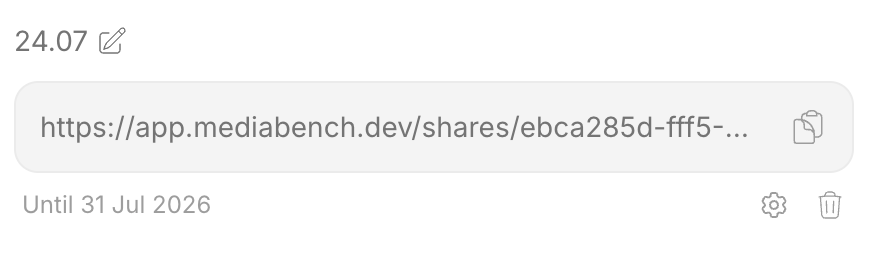
- Click the clipboard icon to copy the link
- Select the cog icon to adjust settings, such as passphrase protection and the expiration date (one week by default)
- Use the pencil icon to rename the link, or the trash icon to delete it
tip
You can also create share links in bulk. Select multiple assets or folders, then choose Create share links from the Bulk update menu to generate a separate link for each item. See Bulk operations.