Keyboard Shortcuts
Keep your hands on the keyboard while you review. Play, pause, reverse, loop, and step frame by frame, then search or start a comment without leaving the player.
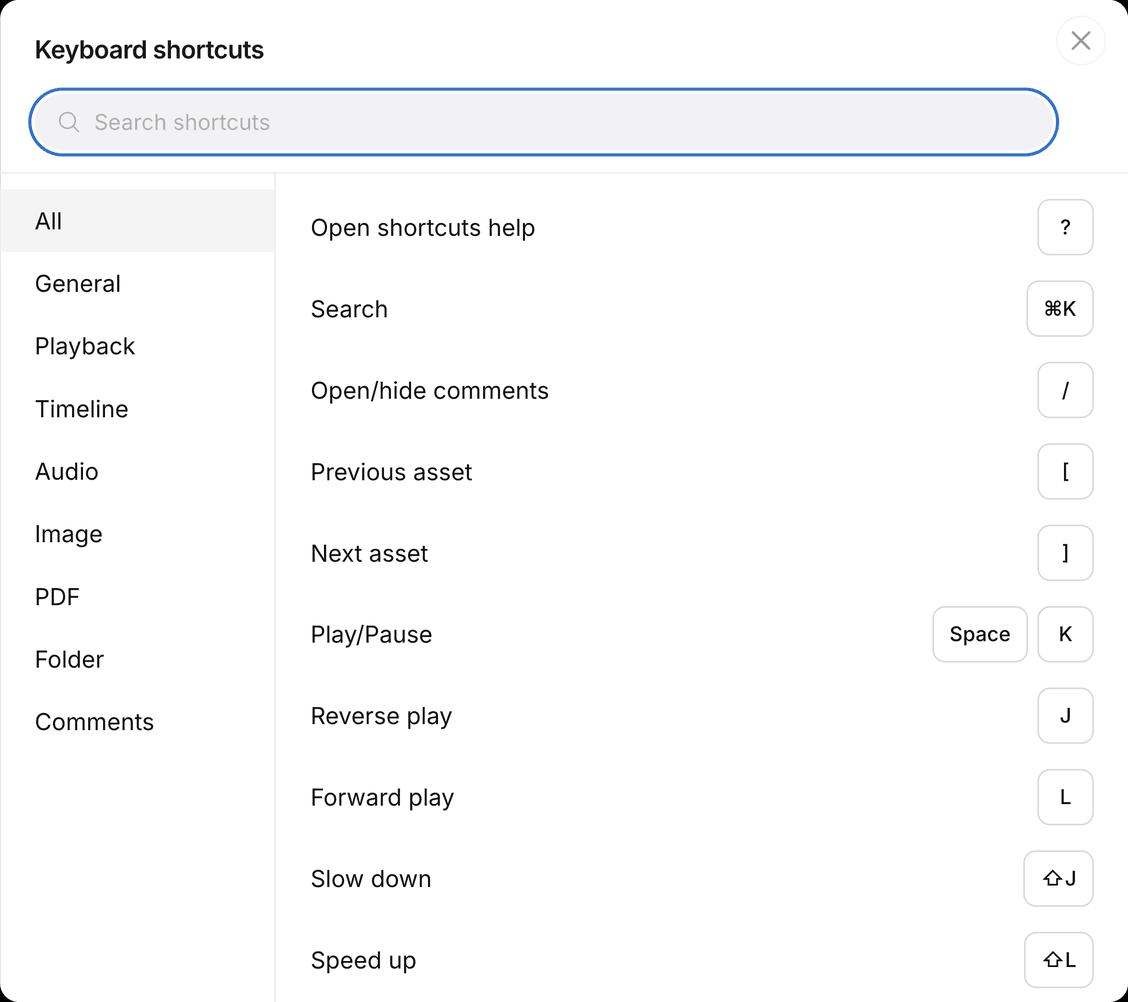
Find a shortcut
Press ? anywhere, or click your avatar and choose Keyboard shortcuts.
General
Move between assets, jump to search, and show the comments panel.
| Action | Shortcut |
|---|---|
| Open shortcuts help | ? |
| Search | ⌘K or Ctrl+K |
| Open/hide comments | / |
| Previous asset | [ |
| Next asset | ] |
Search is the same as the magnifying glass in the menu bar. See Using Search.
[ and ] move to the previous or next asset in the folder.
Playback
Play, pause, reverse, loop, go fullscreen, and show subtitles on video or audio.
| Action | Shortcut |
|---|---|
| Play/Pause | Space or K |
| Reverse play | J |
| Forward play | L |
| Slow down | ⇧J |
| Speed up | ⇧L |
| Loop | Ctrl+L or Ctrl+Shift+L |
| Fullscreen | F |
| Show/hide subtitles | ⇧T |
| Zoom | ⌘ Scroll or Ctrl Scroll |
| Fit to frame | T |
| Guides | G |
Timeline
Step through the player one frame at a time, or mark a range. Hold ← or → to keep stepping.
| Action | Shortcut |
|---|---|
| 1 frame | ← → |
| 10 frames | ⇧← ⇧→ |
| Mark in | I |
| Mark out | O |
| Go to in | ⇧I |
| Go to out | ⇧O |
| Clear in/out | Esc |
I and O set the in and out points on the scrubber. Esc clears them. The same range can attach to a comment. See Add time ranges to comments.
Audio
Volume and mute. Play, pause, and frame step are in Playback and Timeline.
| Action | Shortcut |
|---|---|
| Mute/Unmute | M |
| Volume up | ↑ |
| Volume down | ↓ |
Image
Zoom, pan, and check Safe zone on a still.
| Action | Shortcut |
|---|---|
| Hand tool | ⌘ or Ctrl |
| Zoom in | ⌘ + or Ctrl + |
| Zoom out | ⌘ − or Ctrl − |
| Zoom | ⌘ Scroll or Ctrl Scroll |
| Fit to frame | T |
| Guides | G |
Hold ⌘ or Ctrl and drag to pan. G turns Safe zone on or off.
PDF
Turn pages without clicking the viewer.
| Action | Shortcut |
|---|---|
| Previous page | ← or PageUp |
| Next page | → or PageDown |
| Fit to frame | T |
Folder
Create a folder without opening the + New menu, if you have permission.
| Action | Shortcut |
|---|---|
| New folder | ⇧N |
This opens the same New folder flow as + New. See Create a project folder.
Comments
Leave feedback without taking your hands off the keyboard.
| Action | Shortcut |
|---|---|
| Open/hide comments | / |
| New comment | C |
| Draw | P |
| Undo draw | ⌘Z or Ctrl+Z |
| Redo draw | ⇧⌘Z or Ctrl+Shift+Z |