MediaStore Subtitles
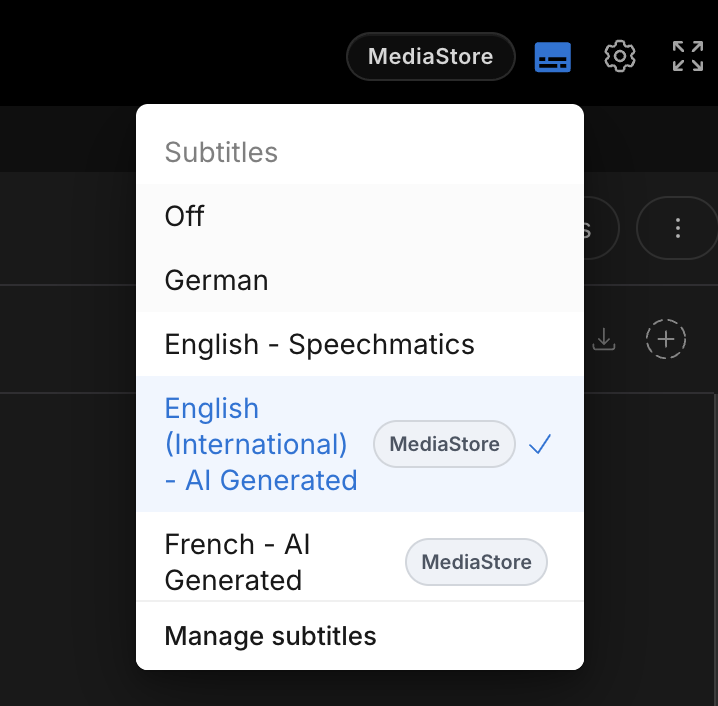
Subtitles from MediaStore show only in the player, marked with a MediaStore bubble. Edits in MediaBench reach MediaStore only when you send the track.
Play a MediaStore subtitle
- Select Subtitles in the player bar
- Choose the subtitle you need
A MediaStore bubble shows which subtitles come from MediaStore.
Send edits to MediaStore
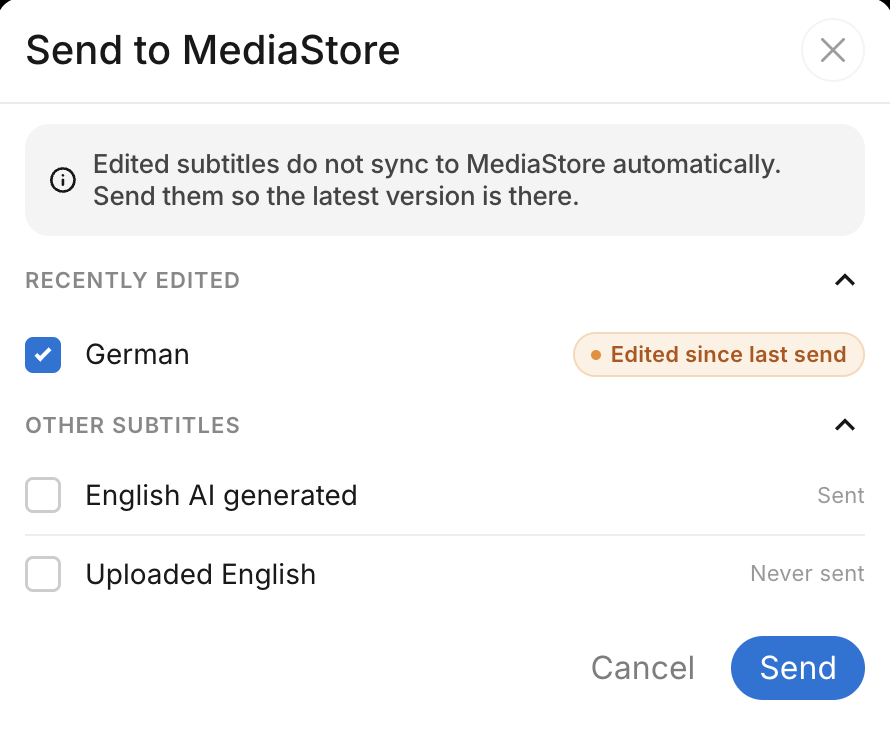
Subtitle edits stay in MediaBench. They do not sync to MediaStore automatically. Send the track when you want the updated version in MediaStore.
- Open the subtitle menu
- Select Send to MediaStore
- Choose the tracks
- Select Send
Exporting the video itself is a separate action. See Export asset to MediaStore.